User Roles & Permissions (Editor vs. Admin vs. Author)
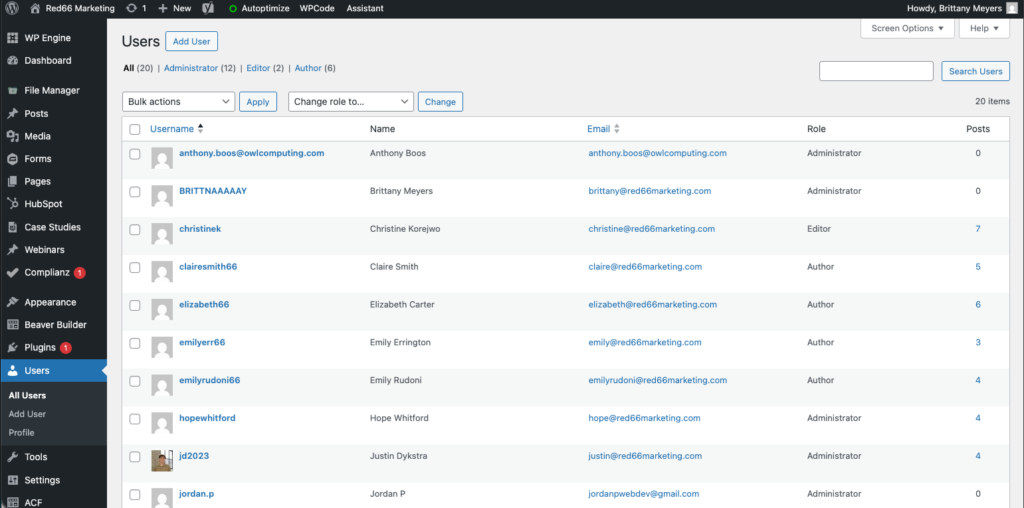
WordPress allows different levels of access depending on a user’s role. This helps keep your website secure while allowing the right people to make updates.
Common User Roles
| Role | What They Can Do | Best For |
| Admin | Full access to everything on the site, including settings and plugins | Website owner, RED66 support team |
| Editor | Can add/edit/remove pages & posts, manage content, but cannot install plugins or change site setup | Day-to-day site managers & marketing staff |
| Author | Can create and edit their own blog posts only | Team members who only write blog articles |
Which Role Should You Choose?
- If someone needs to update website content → Editor
- If someone only writes blog posts → Author
- Do not assign Admin unless you fully trust the user and they know what they are doing
How to View or Change a User’s Role
- Log into WordPress
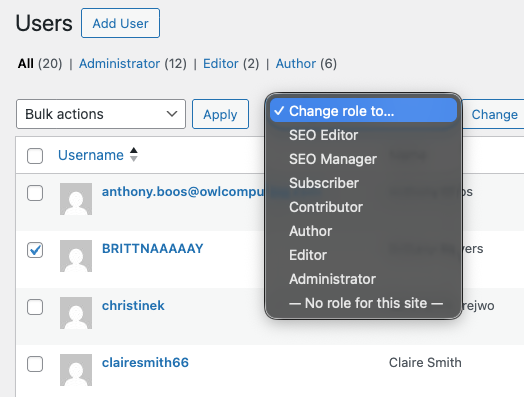
- Go to Users in the left menu
- Click the user’s name you want to edit
- Look for the Role dropdown
- Select Admin, Editor, or Author
- Click Update User
Need help deciding user access?
Email us: web@red66marketing.com